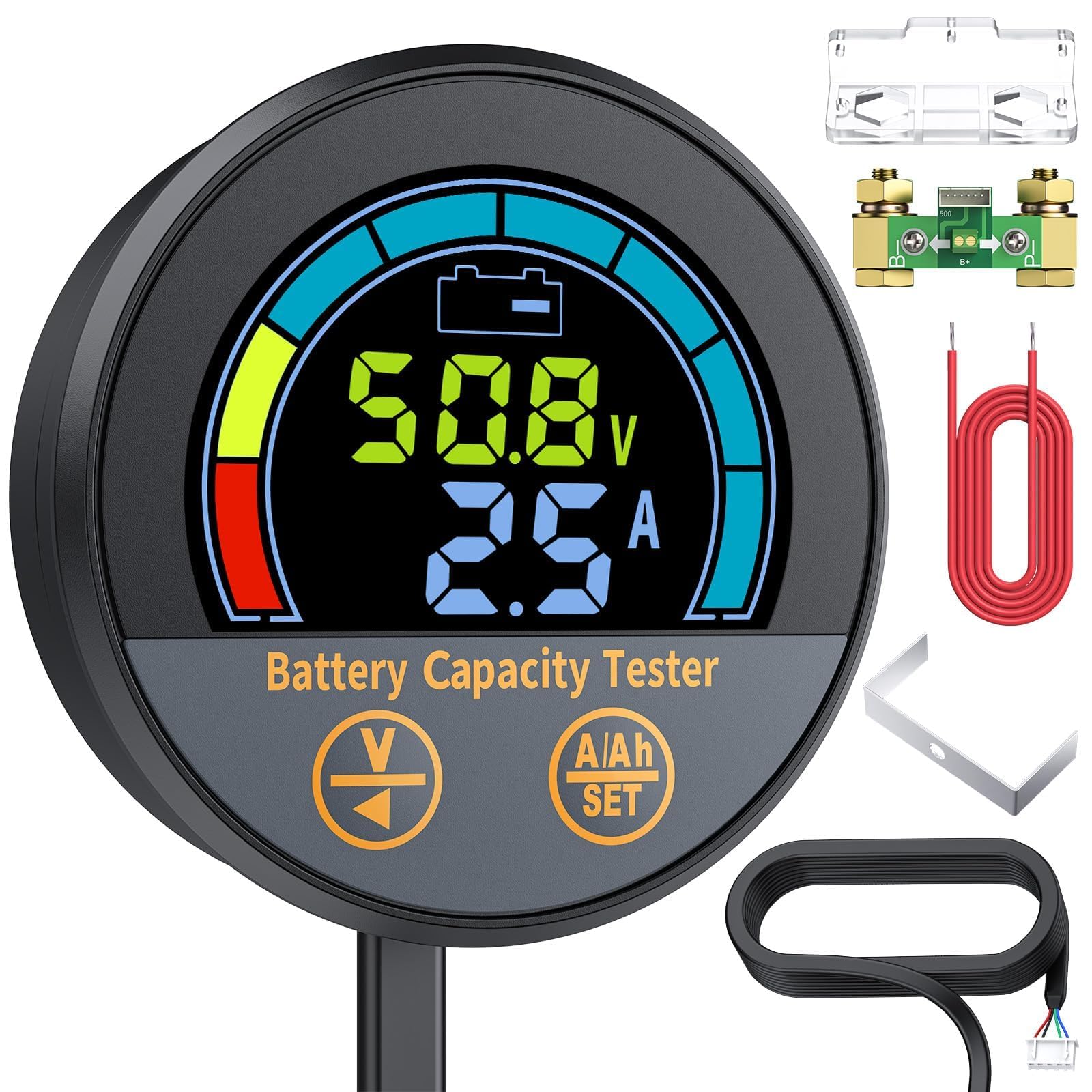
QWORK Battery Monitor Voltmeter Ammeter


First, open a round hole of 54.5mm on the panel of the equipment. Then, install the coulometer from the front of the panel. Finally, tighten the bracket on the back. This is a high-precision current-type battery capacity tester (also known as a coulometer), which can test the voltage, current, and capacity of a battery to help users know the state of the battery in a timely manner. It has a memory function and is suitable for mobile and portable equipment, e-bikes, balance cars, cleaning machines, instruments, UPS, and so on. It is compatible with lithium batteries, lithium iron phosphate batteries, lead-acid batteries, and nickel-metal hydride batteries with a working voltage ranging from 8V to 100V.
To connect the device, first, series-connect the sampler to the negative circuit of your battery. B- of the sampler connects to B- of the battery, and P- of the sampler connects to P- of the output or C- of the charger. Then, take a wire of 0.3-0.75 mm² and connect one end to the positive of the battery, and the other end to B+ of the sampler (either end is fine). Finally, connect the sampler to the battery monitor using the shielded wire. After confirming the connections and powering on, the device will work normally.
When using the device, first, connect and check the current. Power on after completing the connection, and the screen should display the capacity percentage. If the screen has no response, please check the connection. Then, charge or discharge the battery and check whether the displayed current is equal to the actual current. If the deviation is large, please check the connection.
Next, reset the capacity. On the first use, the percentage and capacity are not the actual values, so you should reset the capacity: discharge the battery totally and hold the "V" key for 3 seconds to set the capacity to zero, or charge the battery fully and hold the "%" key for 3 seconds to set the capacity to full. This step does not need to be repeated later, except when replacing the battery.
If you find that the displayed capacity does not match the actual capacity, please check and reset the actual capacity: discharge the battery totally and hold the "V" key for 3 seconds to set the capacity to zero, then set the capacity value as large as possible. Then, charge the battery fully, and the displayed capacity will be the actual capacity. Finally, set the displayed capacity as the preset capacity.
When charging or discharging, the coulometer must be in operation; otherwise, the capacity will not be accurate. When the charge or discharge current is less than the backlight-off current, the coulometer will enter a low-power state and the backlight will turn off, but it can still memorize the capacity. Due to high sensitivity, when the coulometer is in standby mode (battery has no input or output current), if it is interfered by electromagnetic radiation (such as opening or closing inductive loads like a motor), the backlight will briefly turn on. When the current changes frequently, the data acquisition may produce errors, affecting the accuracy.
product information:
| Attribute | Value | ||||
|---|---|---|---|---|---|
| package_dimensions | 6.02 x 5.94 x 2.13 inches; 14.11 ounces | ||||
| item_model_number | WD3062 | ||||
| date_first_available | November 29, 2019 | ||||
| manufacturer | QWORK | ||||
| best_sellers_rank | #14,303 in Automotive (See Top 100 in Automotive) #10 in Multimeters & Analyzers | ||||
| customer_reviews |
|
You'll also love